
Kubernetes Gateway API in 2026: Why Ingress Is Dead and How to Migrate
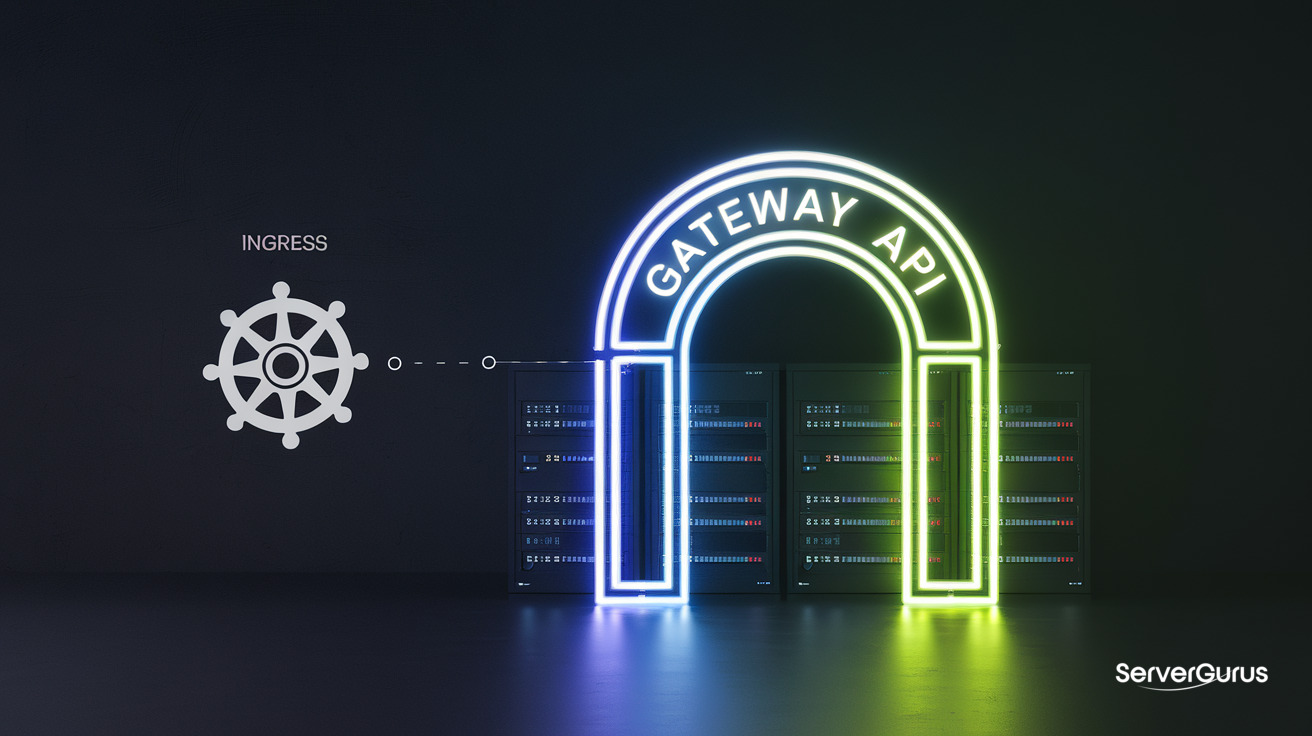
Ingress Is Dead (Officially)
Kubernetes SIG Network announced Gateway API v1.5 in February 2026 with six features graduating to GA - the final nail in Ingress's coffin. AWS shipped GA Gateway API support in its Load Balancer Controller in March 2026. Istio has supported it since v1.22. Envoy Gateway tracks releases within weeks. Even Azure AKS reached GA for its Istio add-on in May 2026.
If your Kubernetes cluster still runs networking.k8s.io/v1 Ingress resources, you are on borrowed time. Gateway API is not a "future thing" anymore - it is the present and Ingress is frozen.
Why Gateway API Replaces Ingress
The Ingress Problem
Ingress has exactly one resource (Ingress) with one routing model: host + path → service. Everything else - TLS configuration, header-based routing, traffic splitting, rate limiting, cross-namespace routing - requires annotations. Which annotations? Depends on your controller. NGINX Ingress, Traefik, AWS ALB, and GCE all have different annotation schemas. There is no portability and no validation.
# Classic Ingress chaos: annotations for everything
apiVersion: networking.k8s.io/v1
kind: Ingress
metadata:
  annotations:
    nginx.ingress.kubernetes.io/rewrite-target: /
    nginx.ingress.kubernetes.io/ssl-redirect: "true"
    nginx.ingress.kubernetes.io/proxy-body-size: "8m"
    nginx.ingress.kubernetes.io/rate-limiting: "10r/s"
spec:
  rules:
  - host: api.example.com
    http:
      paths:
      - path: /v1
        backend:
          service:
            name: api-v1
            port:
              number: 80
This works. Until you switch from NGINX to Traefik and every annotation breaks silently.
The Gateway API Solution
Gateway API gives you typed, validated, portable resources:
- GatewayClass: Defines the controller implementation (like a StorageClass for gateways)
- Gateway: A running instance of the gateway (the load balancer)
- HTTPRoute: L7 routing rules (replaces Ingress)
- GRPCRoute: Native gRPC routing (no annotations, no hacks)
- TLSRoute: TLS passthrough
- TCPRoute / UDPRoute: L4 routing
Same configuration as above, Gateway API style:
apiVersion: gateway.networking.k8s.io/v1
kind: HTTPRoute
metadata:
  name: api-route
spec:
  parentRefs:
  - name: main-gateway
  hostnames:
  - api.example.com
  rules:
  - matches:
    - path:
        type: PathPrefix
        value: /v1
    backendRefs:
    - name: api-v1
      port: 80
    filters:
    - type: RequestRedirect
      requestRedirect:
        scheme: https
    - type: RequestHeaderModifier
      requestHeaderModifier:
        set:
        - name: X-Rate-Limit
          value: "10"
No annotations. Every field is validated by the API server. If you typo PathPrefix as PathPrefx, the resource is rejected at apply time, not silently ignored at runtime.
Gateway API v1.5: What Went GA
Six features graduated from Experimental to Standard (GA) in v1.5:
| Feature | What It Does |
|---|---|
| HTTPRoute timeouts | Per-route request/backend timeouts |
| HTTPRoute redirect filters | Host, path, scheme redirects |
| HTTPRoute header matching | Route based on HTTP headers |
| Gateway infrastructure labels | Label gateways for infrastructure-as-code selectors |
| Backend TLS policy | mTLS between gateway and backend pods |
| HTTPRoute method matching | Route based on HTTP method (GET vs POST) |
All six are now conformance-tested across every Gateway API implementation. Write a redirect filter once, and it works on NGINX Gateway Fabric, Envoy Gateway, Istio, Traefik, and AWS LBC identically.
Who Ships Gateway API Today
| Implementation | Gateway API Support | Notes |
|---|---|---|
| Envoy Gateway | v1.6 (full) | CNCF project, best-in-class performance |
| Istio | GA since v1.22 | Service mesh + gateway in one |
| NGINX Gateway Fabric | v1.5+ | NGINX-native, lightweight |
| Traefik | v1.4+ | Dynamic config, dashboard support |
| AWS Load Balancer Controller | GA since March 2026 | NLB + ALB support |
| GKE Gateway Controller | GA since 2025 | Regional and global LBs |
| Azure Application Gateway | GA since 2025 | WAF integration |
| Cilium | v1.17+ | eBPF-native, no sidecar |
| HAProxy | v1.3+ | Battle-tested, high throughput |
| Kong | v1.3+ | API gateway with plugin ecosystem |
Pick based on what you already run. If you run Istio for mesh, use its Gateway. If you run Cilium for networking, use its Gateway. If you want minimal dependency, use Envoy Gateway.
Migration: Ingress → Gateway API
Step 1: Install a Gateway Controller
# Envoy Gateway (recommended if starting fresh)
kubectl apply -f https://github.com/envoyproxy/gateway/releases/download/v1.4.0/install.yaml

# Or NGINX Gateway Fabric
kubectl apply -f https://github.com/nginx/nginx-gateway-fabric/releases/latest/download/crds.yaml
kubectl apply -f https://github.com/nginx/nginx-gateway-fabric/releases/latest/download/nginx-gateway.yaml
Step 2: Create GatewayClass and Gateway
apiVersion: gateway.networking.k8s.io/v1
kind: GatewayClass
metadata:
  name: envoy
spec:
  controllerName: gateway.envoyproxy.io/gatewayclass-controller
---
apiVersion: gateway.networking.k8s.io/v1
kind: Gateway
metadata:
  name: main-gateway
spec:
  gatewayClassName: envoy
  listeners:
  - name: http
    port: 80
    protocol: HTTP
  - name: https
    port: 443
    protocol: HTTPS
    tls:
      mode: Terminate
      certificateRefs:
      - name: wildcard-tls
Step 3: Convert Ingress Rules to HTTPRoutes
Take your existing Ingress and rewrite it:
Before (Ingress):
apiVersion: networking.k8s.io/v1
kind: Ingress
metadata:
  name: app-ingress
  annotations:
    nginx.ingress.kubernetes.io/rewrite-target: /
    cert-manager.io/cluster-issuer: letsencrypt-prod
spec:
  tls:
  - hosts:
    - app.example.com
    secretName: app-tls
  rules:
  - host: app.example.com
    http:
      paths:
      - path: /api
        pathType: Prefix
        backend:
          service:
            name: api-service
            port:
              number: 8080
      - path: /
        pathType: Prefix
        backend:
          service:
            name: frontend
            port:
              number: 3000
After (Gateway API):
apiVersion: gateway.networking.k8s.io/v1
kind: HTTPRoute
metadata:
  name: app-route
spec:
  parentRefs:
  - name: main-gateway
  hostnames:
  - app.example.com
  rules:
  - matches:
    - path:
        type: PathPrefix
        value: /api
    backendRefs:
    - name: api-service
      port: 8080
  - matches:
    - path:
        type: PathPrefix
        value: /
    backendRefs:
    - name: frontend
      port: 3000
TLS is handled by the Gateway listener, not by per-Ingress annotations. cert-manager integrates natively.
Step 4: Run Both in Parallel
You can run Gateway API alongside Ingress during migration. They do not conflict - the Gateway controller creates its own load balancer or shares one based on the implementation. Traffic flows through both until you cut over DNS.
Step 5: Delete the Ingress
Once traffic flows through the Gateway, delete the Ingress:
kubectl delete ingress app-ingress
Cross-Namespace Routing
Gateway API's headline feature: routes in one namespace can reference backends in another namespace. Ingress cannot do this - every backend must be in the same namespace as the Ingress resource.
apiVersion: gateway.networking.k8s.io/v1
kind: HTTPRoute
metadata:
  name: cross-ns-route
  namespace: gateway-ns
spec:
  parentRefs:
  - name: main-gateway
    namespace: infra
  hostnames:
  - api.example.com
  rules:
  - matches:
    - path:
        type: PathPrefix
        value: /users
    backendRefs:
    - name: user-service
      namespace: users-team    # different namespace!
      port: 8080
  - matches:
    - path:
        type: PathPrefix
        value: /orders
    backendRefs:
    - name: order-service
      namespace: orders-team   # different namespace!
      port: 8080
The backend namespace must have a ReferenceGrant that allows the route's namespace to reference it. This gives the backend team control - they decide who can route to their services, not the infra team.
Advanced: Traffic Splitting
Canary deployments with Gateway API:
apiVersion: gateway.networking.k8s.io/v1
kind: HTTPRoute
metadata:
  name: canary-route
spec:
  parentRefs:
  - name: main-gateway
  hostnames:
  - app.example.com
  rules:
  - backendRefs:
    - name: app-v1
      port: 3000
      weight: 90
    - name: app-v2
      port: 3000
      weight: 10
90% of traffic to v1, 10% to v2. Change weights and re-apply. No annotations. No custom controller logic.
Why ServerGurus Recommends Envoy Gateway
For customers deploying on our Kubernetes clusters, we recommend Envoy Gateway:
- Performance: Envoy proxy under the hood - industry benchmark for L7 throughput
- GA support: Tracks Gateway API v1.6 with full conformance
- No sidecar: Dedicated gateway pods, not a mesh proxy
- Observability: Native Prometheus metrics, OpenTelemetry traces, access logs
- Battle-tested: Same proxy that powers Istio, used at Google, Lyft, and Airbnb
For customers already running Istio as a service mesh, use Istio Gateway - it is already deployed, already configured, and handles Gateway API natively.
Quick Start
# 1. Install Envoy Gateway
kubectl apply -f https://github.com/envoyproxy/gateway/releases/download/v1.4.0/install.yaml

# 2. Create GatewayClass
kubectl apply -f - << EOF
apiVersion: gateway.networking.k8s.io/v1
kind: GatewayClass
metadata:
  name: envoy
spec:
  controllerName: gateway.envoyproxy.io/gatewayclass-controller
EOF

# 3. Create a Gateway (your load balancer)
kubectl apply -f - << EOF
apiVersion: gateway.networking.k8s.io/v1
kind: Gateway
metadata:
  name: prod-gateway
spec:
  gatewayClassName: envoy
  listeners:
  - name: http
    port: 80
    protocol: HTTP
EOF

# 4. Create an HTTPRoute
kubectl apply -f - << EOF
apiVersion: gateway.networking.k8s.io/v1
kind: HTTPRoute
metadata:
  name: my-app
spec:
  parentRefs:
  - name: prod-gateway
  rules:
  - backendRefs:
    - name: my-service
      port: 80
EOF

# 5. Get the external IP
kubectl get gateway prod-gateway
Your app is now routed through Gateway API with zero annotations.